
Dashboard overview
Every number and control on the Dashboard.
The Dashboard is the control centre of Applivo. It summarises your pipeline at a glance, shows your daily quota, and is where the agent actions begin.
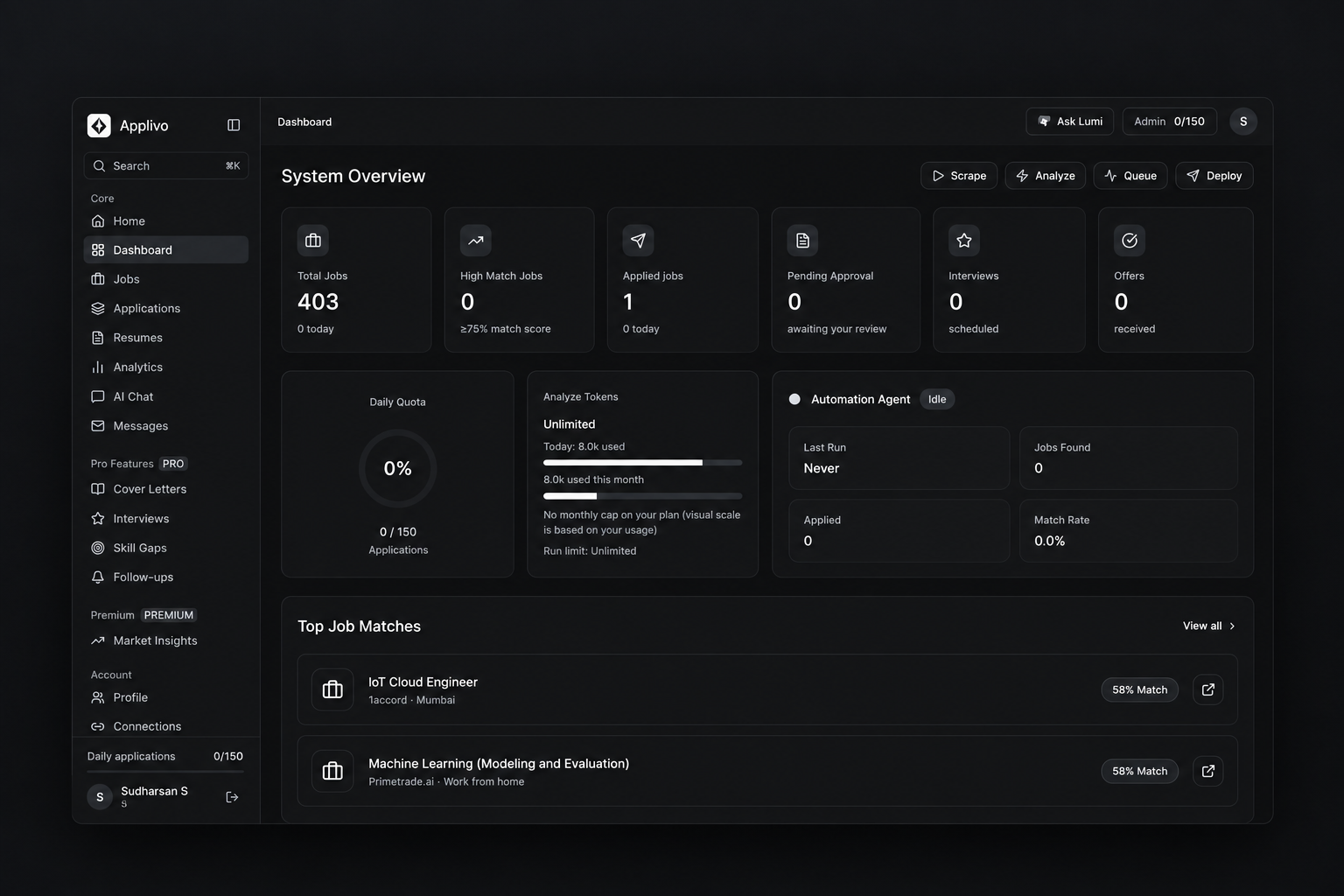
Summary cards
| Card | Shows |
|---|---|
| Total Jobs | Listings collected for you |
| High Match Jobs | Jobs with a match score of 75 or higher |
| Applied jobs | Applications that were submitted |
| Pending Approval | Applications waiting for you to approve |
| Interviews | Interviews scheduled |
| Offers | Offers received |
Agent actions
Four buttons drive the pipeline:
- Scrape collects new listings from Internshala.
- Analyze scores the collected listings against your resume.
- Queue stages selected applications to be applied to.
- Deploy starts an application run through the extension.
While an action is running, the sidebar shows an active-agent card and the affected cards update as results come in.
What updates when
- Cards update after a run finishes, not instantly per job.
- High Match Jobs counts listings at or above the 75 threshold set in the product.