
Understanding the dashboard
A first look at the numbers and controls on the Dashboard page.
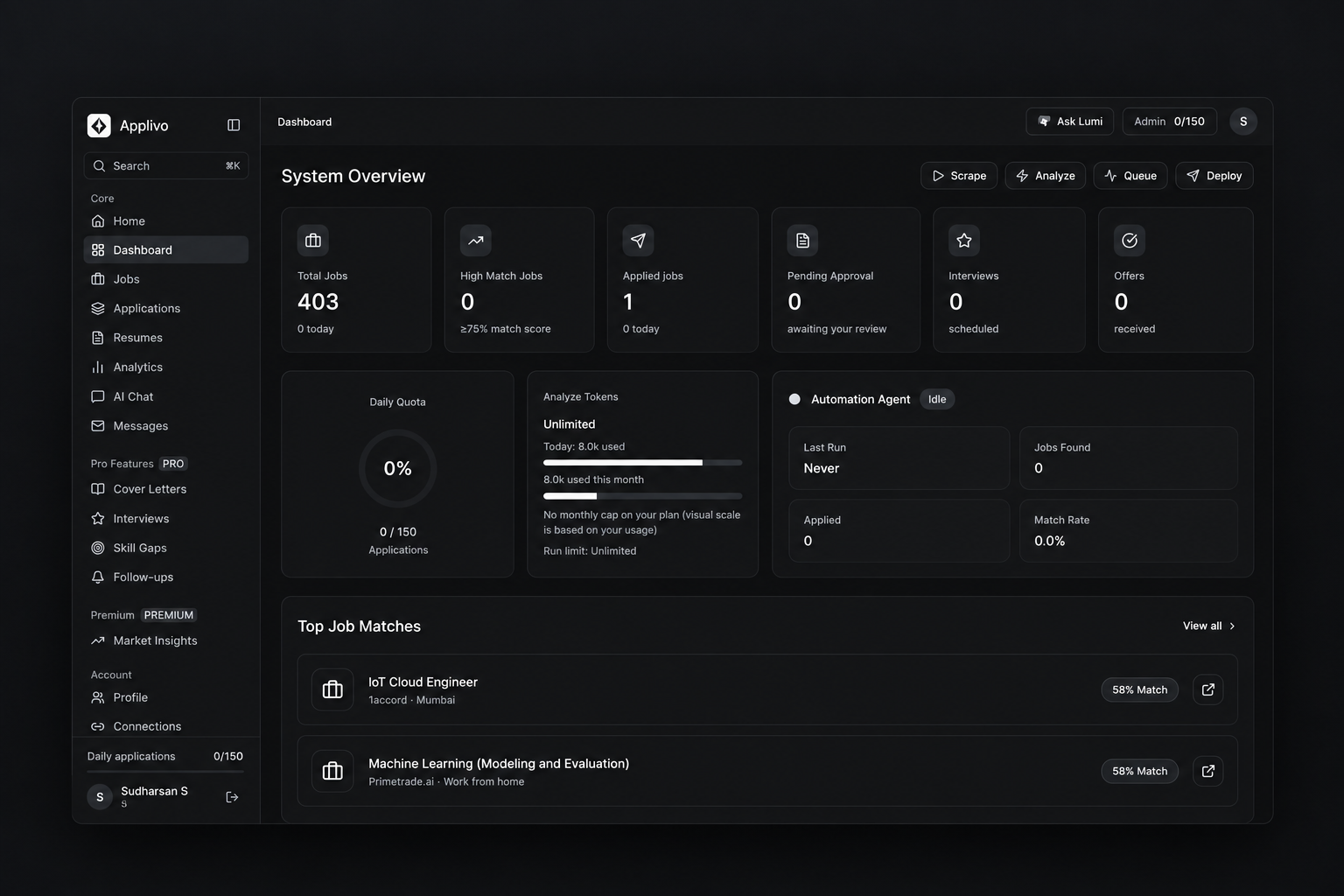
The Dashboard summarizes your activity and gives you the four agent actions: Scrape, Analyze, Queue and Deploy.
Summary cards
- Total Jobs: listings collected for you.
- High Match Jobs: listings scoring 75 or higher.
- Applied jobs: applications recorded as submitted.
- Pending Approval: applications waiting for your approval.
- Interviews and Offers: progress recorded after submission.
Quota and budget indicators
Daily Quota shows your used and remaining daily applications. Analyze Tokens shows the per-run and monthly Analyze token budget for your plan. Both update as the agent works.
Agent actions
Scrape collects listings, Analyze scores them, Queue stages applications, and Deploy starts applying. While the agent works, the sidebar shows an active-agent card.
Each metric and its data source is explained in Dashboard overview and Analytics.