
Unsupported forms and ineligible applications
When Applivo will not apply, and why.
Applivo refuses to act when it cannot do so safely. This page lists the cases where an application stops instead of being completed, and what that looks like to you.
Cases that stop for you
| Case | Why it stops | What to do |
|---|---|---|
| Custom file upload required | The extension does not upload files | Apply manually on Internshala |
| Required question has no safe answer | Answers are never invented | Open the form and answer it, then retry |
| CAPTCHA or verification | Applivo does not bypass protections | Solve it in the browser, then retry |
| Signed out of the portal | No session to fill the form | Sign in, then retry |
| Already applied | Avoids duplicate submissions | Nothing to do; the application exists |
| Listing closed or unavailable | There is no form to submit | Skip it |
| Page structure changed | Field detection fails | Apply manually and report it |
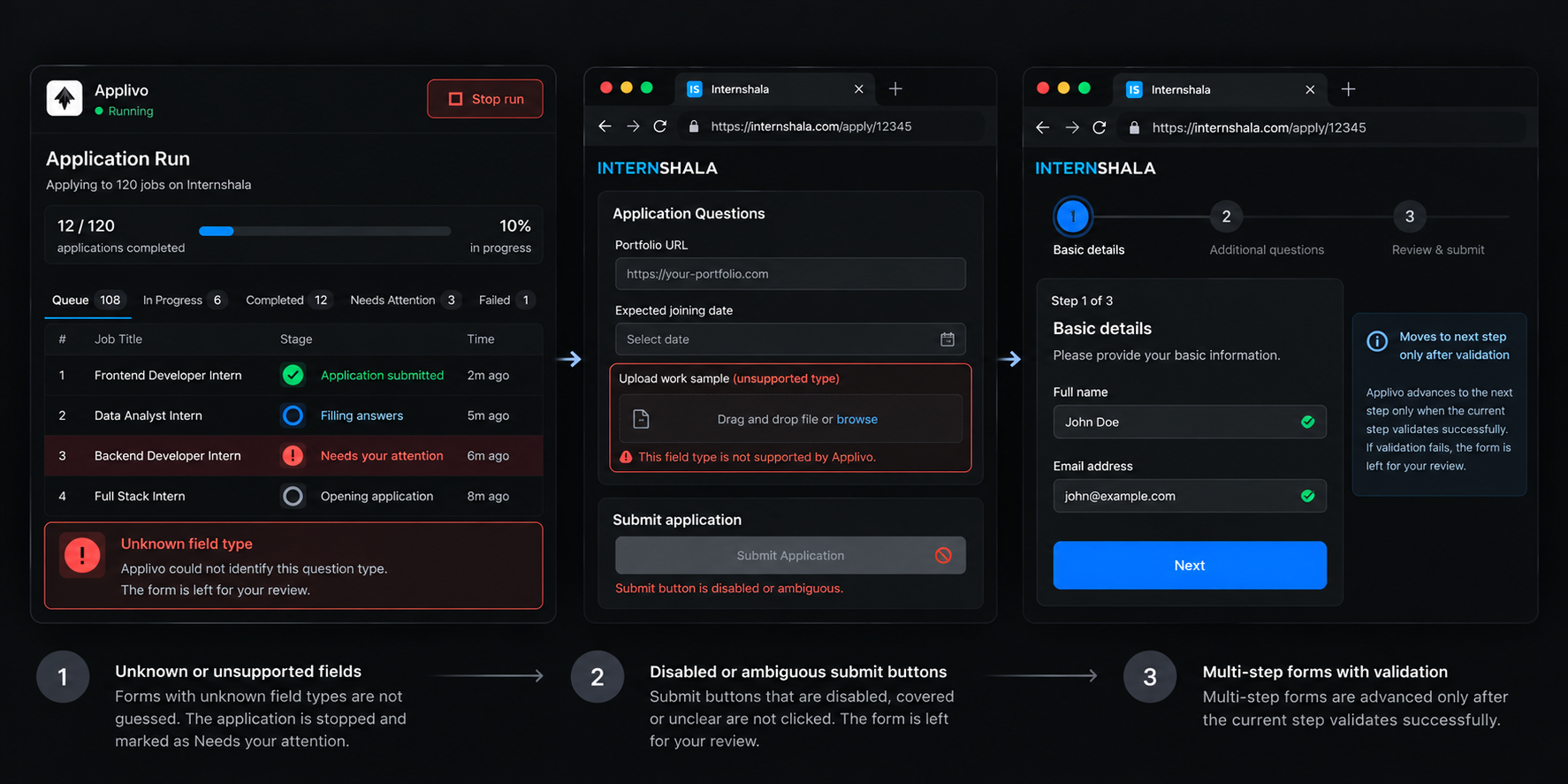
What you see
Each of these ends as a terminal stage on the item with a short, user-safe reason, and the application moves to a waiting or skipped state. Nothing is submitted in these cases.